
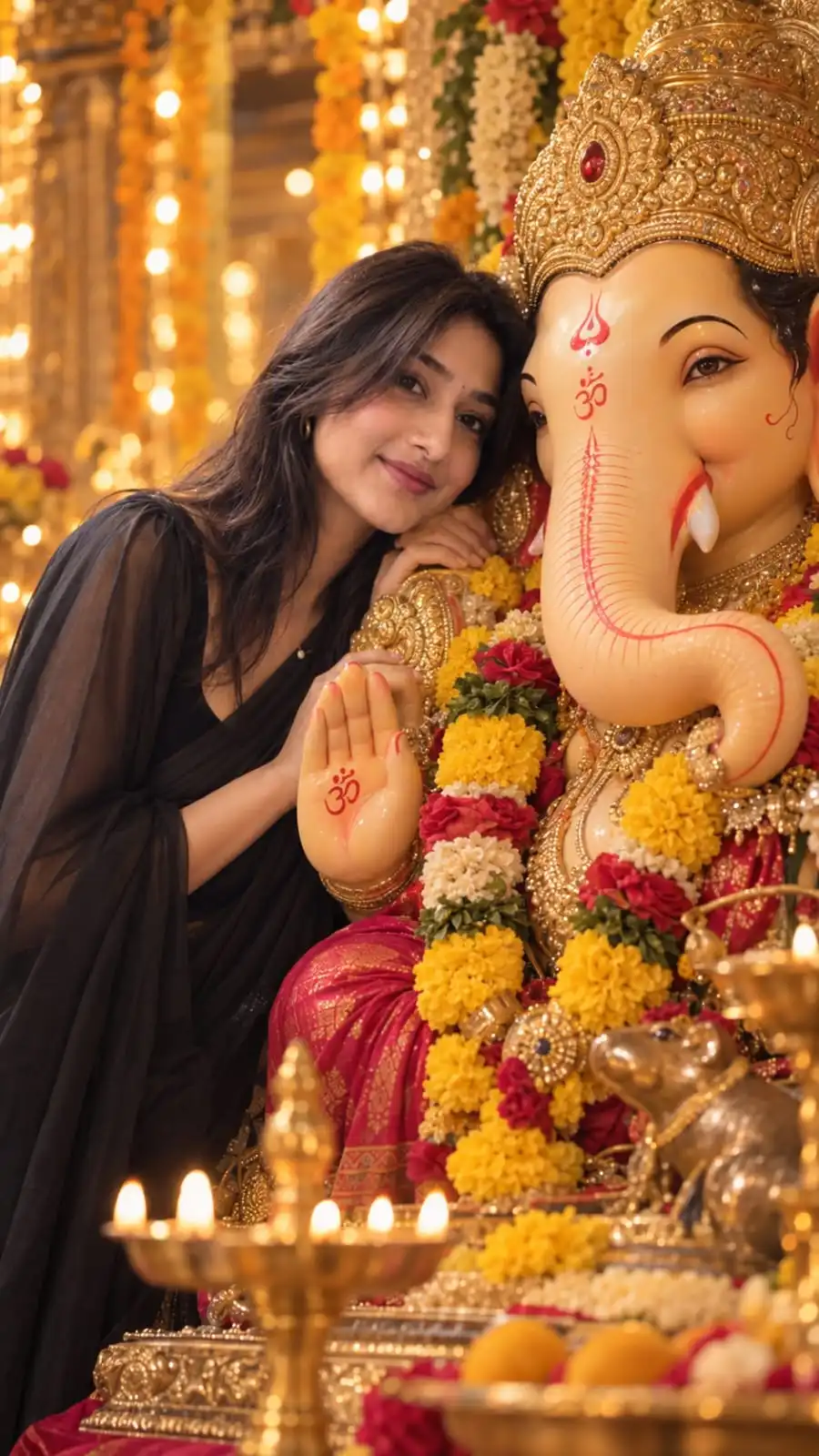
What is the Ganesh Chaturthi?
The trend uses image generation to place a person into a detailed Ganesh Chaturthi setting while preserving their facial identity. Common elements include a decorated Lord Ganesha idol, marigold flowers, warm golden lighting, festive ornaments and a shallow depth of field.
Why this AI photo trend is popular
Festival portraits are highly shareable during Ganesh Chaturthi because they combine personal identity with a culturally meaningful celebration. A realistic photographic treatment also makes the result suitable for Instagram posts, Stories and festive profile pictures.
How to create this AI photo
Choose a clear reference portrait
Use a photo where your face and natural features are easy to see. Avoid references with heavy filters because they can make identity preservation harder.
Define the devotional composition
Describe your relationship to the idol, camera distance, pose and framing. Keep the scene specific so the model does not replace the setting with a generic festival background.
Add realistic festive details
Use warm golden light, flowers, decorations and realistic idol materials. Avoid adding unnecessary objects that can make the image look synthetic.
Check identity and anatomy
Before polishing the color grade, make sure your face, hands and the idol's important features are correct. Fix structural problems first, then refine atmosphere.
More AI Photo Resources
Learn how to create better AI images
Get practical tips for realistic results, face consistency, prompts, AI hands and other common image-generation problems.
Read AI photo guides →AI Image PromptsExplore ready-to-use AI prompts
Find prompts for couples, portraits, selfies, fashion, vintage photography, anime and more.
Browse AI prompts →AI tools you can use
This type of image can be created with image-generation tools that support reference images. Available options include:
Features and image-reference controls can change between tools and versions, so use the workflow above as a prompt strategy rather than relying on one exact interface.
Tips for a more realistic result
- Use a reference image with natural skin texture and minimal filters.
- Be explicit about the composition if you want a close devotional portrait.
- Ask for realistic warm lighting rather than an exaggerated golden glow.
- When generating an idol, clearly specify important structural details to reduce duplication errors.
FAQs about this AI photo trend
What is the Ganesh Chaturthi AI photo trend?
It is an AI portrait trend that places a person into a realistic Ganesh Chaturthi setting with a decorated Ganesha idol, festive flowers, warm lighting and devotional details.
How do I create a Ganesh Chaturthi AI photo?
Upload a clear portrait, describe the desired devotional composition and festive setting, and explicitly instruct the image generator to preserve your natural facial identity.
Can I make a Ganpati AI photo with my own face?
Yes. Reference-image features can be used to guide the person's identity, although the degree of facial consistency depends on the tool and reference image.
How can I make a Ganesh Chaturthi AI portrait look realistic?
Use natural skin texture, physically believable warm lighting, realistic flowers and idol materials, and avoid excessive glow, smoothing or artificial effects.